HTML header content
link
icon
/favicon.ico
<link rel="shortcut icon" href="/favicon.ico">
Favicon was introduced in 1999 by Internet Explorer 5. Mostly deprecated in favor of favicon.png, but still a good fallback solution.
.ico supports multiple versions of an image. favicon.ico should contain 16x16, 32x32 and 64x64 images.
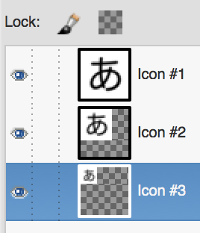
/favicon.png
The sizes attribute was introduced in HTML5 to specify several different versions of the same icon, and those can be PNG files.
<link rel="icon" type="image/png" href="favicon-16x16.png" sizes="16x16">
<link rel="icon" type="image/png" href="favicon-32x32.png" sizes="32x32">
<link rel="icon" type="image/png" href="favicon-96x96.png" sizes="96x96">
Sizes:
- 96x96: Google TV
- 128x128: Chrome Web Store
- 196x196: Android Chrome
- ...
/apple-touch-icon.png
Apple Touch Icon for iOS: the icon is used when your visitor adds your site to his home screen. Shouldn't be transparent (background will be set to black).
Sizes:
- 152x152 (iPad Retina)
- 180x180 (iPhone 6 Plus)
- ...
<link rel="apple-touch-icon" sizes="180x180" href="apple-touch-icon.png">
/mstile.png
A tile for Windows tablets.
IE10:
<meta name="msapplication-TileColor" content="#2b5797">
<meta name="msapplication-TileImage" content="https://cdn.css-tricks.com/mstile-144x144.png">
IE11: /browserconfig.xml
<?xml version="1.0" encoding="utf-8"?>
<browserconfig>
  <msapplication>
    <tile>
      <square150x150logo src="/mstile-150x150.png"/>
      <TileColor>#da532c</TileColor>
    </tile>
  </msapplication>
</browserconfig>
Tile size: 270x270 is recommended.
/safari-pinned-tab.svg
Safari got pinned tabs in OS X 10.11. Safari pinned tabs use a new type of icon: mask-icon. If it is not provided - the first letter of domain uses. mask-icon must be a black square SVG image with no background.
<link rel="mask-icon" href="safari-pinned-tab.svg" color="orange">
color - hover color.
/manifest.json
<link rel="manifest" href="/manifest.json">
Came with Android Chrome M39.
{
    "name": "My website",
    "icons": [
        {
            "src": "\/android-chrome-192x192.png",
            "sizes": "192x192",
            "type": "image\/png"
        },
        {
            "src": "\/android-chrome-512x512.png",
            "sizes": "512x512",
            "type": "image\/png"
        }
    ],
    "theme_color": "#ffffff",
    "display": "standalone"
}
Images from the xml must be available: android-chrome-192x192.png, android-chrome-512x512.png.
theme-color
<meta name="theme-color" content="#ffffff">
theme-color meta tag allows to set the toolbar color in Chrome for Android starting from version 39.
meta
keywords
See how to generate a list of keywords.
Open Graph
og meta example:
<meta property="og:url" content="http://kana.nanvel.com">
<meta property="og:title" content="Memorize Japanese kana">
<meta property="og:type" content="website" />
<meta property="og:image" content="http://kana.nanvel.com/og.png">
<meta property="og:image:width" content="1200">
<meta property="og:image:height" content="1200">
<meta property="og:description" content="Memorize hiragana and katakana with mnemonics and flash cards game">
Image size = ~1200x1200.
Also see schema.org and app links.
Instruments
Links
Favicon – Why you’re doing it wrong at Favicon's blog Favicons, Touch Icons, Tile Icons, etc. Which Do You Need? at CSS-tricks by Philippe Bernard Adding a Pinned Tab icon for Safari by Joost de Valk Support for theme-color in Chrome 39 for Android by Pete LePage
Licensed under CC BY-SA 3.0